
The Ten Commandments of iPad Preaching
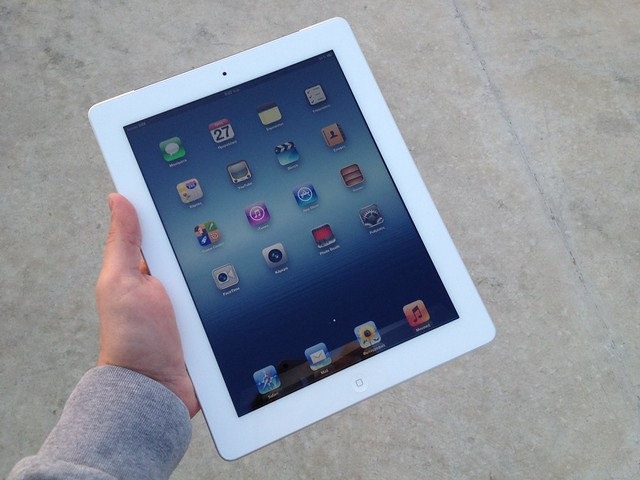
iPad preaching is a growing trend. I have been using an iPad to preach since mid 2011.
And for those of you who have read this post and are wondering, I don’t use a manuscript. I just use a single page outline with only scripture references, the essential big ideas, and any quotes/statistics that I need to reference. If anything doesn’t fit on the one page, it gets cut.
I have learned a few things from experience. So today I bring you…
The Ten Commandments of iPad Preaching
1. Thou shall turn off notifications.
The only thing worse than a cell phone ringing in the middle of a prayer is the preacher’s iPad ringing in the middle of a prayer.
Make sure to turn on the ‘Do Not Disturb’ switch in ‘Settings’. I also turn on ‘Airplane Mode’ just to make sure I don’t have anything popping up from Wi-Fi.
At one location I preached there was a very weak Wi-Fi signal that I didn’t have the password to. A Wi-Fi connection message kept popping up while I was preaching.
You don’t want any distractions from the message God has given you.
2. Thou shall turn off auto-lock.
I have forgotten to do this a few times. Five minutes into the message my iPad blacked out. It totally threw me off.
I had to pause what I was saying, open the iPad, and swipe to unlock before resuming the message. This is even worse if your iPad is password protected.
Always make sure to open up ‘Setting’, tap ‘General’ and set ‘Auto-Lock’ to ‘Never’.
3. Thou shall lower the brightness.
If the stage is dark and the brightness is too high your iPad will make your note stand glow. In addition, your face will light up like you are telling scary stories around a campfire. If you wear glasses, the iPad can also reflect off your lenses.
Eliminate this distraction. Adjust brightness accordingly. The goal is easy readability for you while glowing low enough so the audience doesn’t notice.
A cool trick that many people don’t know is that you can invert the colors on the iPad to make the screen dark. In ‘Setting’, tap ‘General’, then ‘Accessibility’, and switch ‘Invert Colors’ to ‘On’. (Update: A great tip pointed out by MaFt Morley in the comments is that you can set up a triple click of the home button to invert colors to save time. Setting > General > Accessibility > Triple Click.)
4. Thou shall not draw attention to your iPad.
Don’t show off your new gadget. Don’t say, “Look at this amazingly awesome piece of technology. Don’t you wish you were as cool as me?”
You are not an Apple commercial. This is a tool to help you as you proclaim God’s message. Don’t let the iPad become a distraction from the main focus.
I recommend getting a case that covers the logo. I use this amazing case that looks like a vintage book. Yes, it is as awesome as it looks. I definitely recommend it.
5. Thou shall use a PDF reader app for notes.
I love having an editable Pages doc in case I want to make last-second changes, but hate preaching off the Pages App. One wrong tap and you deleted your notes, bring up the editing tools, keyboard, etc. It can be highly distracting. A PDF viewer eliminates distractions and keeps it simple.
You easily convert a Pages doc to a PDF. Tap the wrench-looking ‘Tools’ icon in the upper right corner. Hit ‘Share and Print’ then ‘Open in Another App’. Choose ‘PDF’ as a format then ‘Choose App’. You will then have the option to select any App that handles PDFs.
Some people like using free apps like iBooks or Kindle. However, my favorite is GoodReader, because it lets me add notes, highlight text (I color code illustrations, scripture, videos, etc.), and crop the document to eliminate margins and make the text larger and more readable. It’s worth the extra couple bucks in my opinion.
6. Thou shall still carry a Bible.
This is just a personal preference, but I still like to have a physical Bible on stage with me.
Yes, I read and study the Bible almost entirely online or in my iPad or iPhone, but I find that there is just something powerful about a preacher holding a physical bible. It shows the audience that your authority comes from God, not Steve Jobs.
7. Thou shall make sure the iPad is fully charged.
Always make sure your iPad is fully charged. You do not want the battery dying mid-sermon. Have a charger with you just in case you need a last-minute power up before walking onto stage.
Fortunately, the iPad has such an incredibly long battery life that this has rarely been a problem for me.
8. Thou shall have a backup.
Always, always, always have a backup. Either a physical copy of your notes or a Dropbox/Evernote/Goole Doc you can pull up with your phone. You never know when technology might fail you. The battery could die unexpectedly, you could accidentally spill coffee on it, or it might freeze up for no reason on you.
Always be prepared just in case. I have had to pull out my backup a few times (more on that in commandment 9).
9. Thou shall not leave your iPad unattended.
I set my iPad down one time… just once! I forgot about it, walked away, and when I came back it was gone! Someone had the nerve to steal my iPad only two minutes before I stood up to preach!
I was upset, but not as upset as I would have been if I didn’t have a backup.
That is a $400 dollar mistake I will never make again! Just because you are in church doesn’t mean that someone won’t give into the temptation to steal an easy target.
10. Thou shall not have an open beverage next to your iPad.
I am all about baptism by full immersion – just not for my iPad!
If enough liquid spills on an iPad it is game over. You don’t want an open water bottle on your note stand. You might get excited while preaching, swing your arms around and accidentally knock it over.
Not only will you lose your iPad, you will have to explain to the elders why you cussed on stage. Just kidding.
Conclusion
Those are 10 things I have learned about preaching with an iPad, but I am always trying to learn more. What other tips you would suggest? (Comment below)

Nice work. As a tip you can set up a triple-click on the Home button to go to invert colours. Settings > General > Accessibility (scroll to bottom) >Triple-click then choose ‘invert colours’ – much faster than having to go through the settings each time.
Thanks. That’s great advice. I’m definitely going to try that out.
This is really good stuff. Thanks for posting.
I’ve been using Keynote (or Two Screens) to work through my notes while preaching. We use ProPresenter for our main screens and this lets me see ahead and remember what I’m working through without worrying about PDFs, orientation issues and such.
I also went and got a custom skin with our church logo for the back. There’s no need to additionally advertise for Apple and it helps me reinforce our logo while preaching. Works great imho.
Thanks. I love the idea of a custom skin with the church logo. Where did you get it made?
I’m a BookBook fan too. Good choice.
I like this list, and I would add one: “Thou shalt put thine iPad on airplane mode.” This will stop your iPad from gathering any day which could lead to a notification, and it will prevent the iPad from interfering with your auditorium’s sound system.
I write my talks in Pages and then convert it to an ePub file. I then import into this iBooks to give my talk.
The benefit of an ePub file is that you can increase/decrease the font size without changing the formatting. So you’re not simply zooming into the text but keeping paragraphs and margins as they originally are.
I also set iBooks to scroll rather than swipe through my document. I find scrolling easier than swiping.
Thanks.
Thou shant not put your ipad on the filled communion cups… (especially tricky if they are under the cloth)
The newest versions of GoodReader includes the option to turn off Auto-Lock for GoodReader. This turns off Auto-Lock whenever you are using GoodReader, but allows Auto-Lock to happen at all other times to save your battery.